How Taskić works

Taskić runs on everyone’s own phone and keeps the whole family in step. This is everything it does, in the order a family meets it. Tasks, points, rewards, streaks, the weekly boss and the family goal are free. The other games, the points bank, the streak shield, stickers and the monthly recap come with Taskić Pro.

Parents, adults and kids

A family has three roles. Parents set up tasks and rewards and approve the work, and a family can have several. Adult members, like a grandparent or a nanny, do tasks, earn points and suggest rewards. Kids do tasks, earn and spend points, and suggest rewards too.

Parents sign in with email, Apple or Google. They invite the other parent or an adult with a one-time code that works for 24 hours. For a child, a parent creates a profile with a nickname and an avatar and shows a QR code. The child scans it within 10 minutes and stays signed in, and a new phone later only needs a new code.

One person can belong to several families.

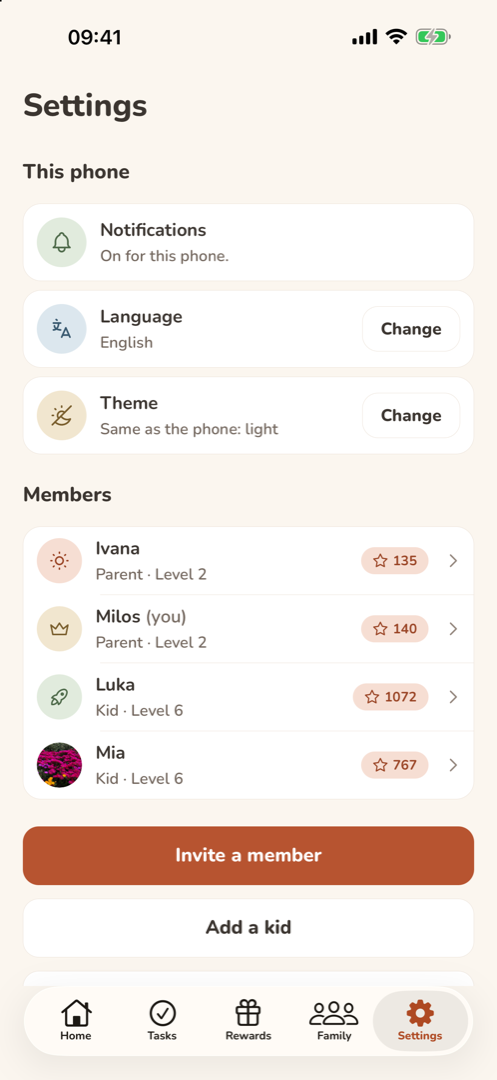
Settings: the phone's notifications, language and theme, then the family's members with their roles, levels and points.

Kids without a phone

A younger child doesn’t need a phone of their own. In child mode, a parent hands over their phone, and the child sees only their tasks for today, the tasks up for grabs and their points. What they tick off there counts as theirs, and getting back to the parent’s view takes a four-digit PIN that stays on that phone.

A parent can also tick off a child’s task for them, or approve it in one step after seeing it done.

Tasks

Every task has a name, an icon and a difficulty: easy is worth 5 points, medium 10 and hard 20, and you can change that. A task can be one-off with a deadline, like taking a parcel to the post office by Friday, or repeat every day, on chosen days, every week or every month.

Some jobs happen more than once: walking the dog twice a day, brushing teeth three times. Each time counts on its own, from 2 to 5 times per period, and earns its points as soon as it’s approved.

A task can ask for a photo as proof and take its points away if it’s missed, and you choose who may get it. A new family can start from suggested tasks and rewards for younger kids, older kids and everyone, and change them later.

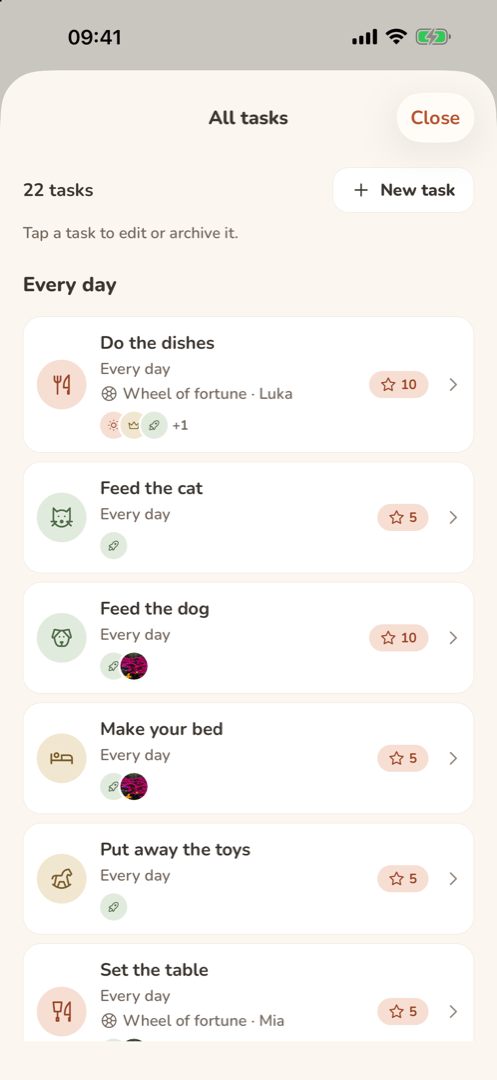
All tasks: the family’s 22 tasks grouped by how often they repeat, with their points, members and the wheel of fortune.

Five ways to hand out a task

  • By name. A parent picks who does it.
  • Wheel of fortune. It remembers who did what, never gives the same hard job to the same person twice in a row, and evens out the week’s points.
  • Up for grabs. An extra job on the board for whoever takes it first.
  • Task market. A member offers their task to someone else and can add some of their own points to sweeten it.
  • Together. Two or more people share one job, and each of them gets the task’s full points, not a share. If someone didn’t help, the others can say so, and the parent decides.
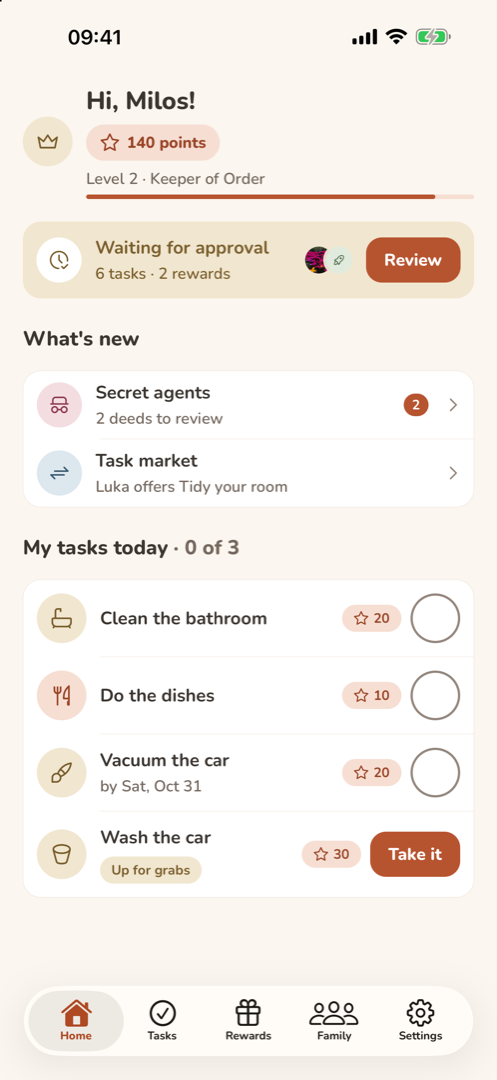
A parent's Home screen: points and level, a notice that six tasks and two rewards are waiting for approval, what's new, and today's tasks with one up for grabs.

Ticking off and approving

When a job is done, the member ticks it off, even without internet, and adds a photo if the task asks for one. A parent approves it, and the points go to the member times their multiplier, a gentle adjustment the parent can set, for example by age. Or the parent sends it back with a short note.

Anything not done by its deadline is marked missed at midnight. A parent’s own tasks approve themselves. Parents get a notification when something is waiting, and anyone with tasks left gets one reminder at 6 pm.

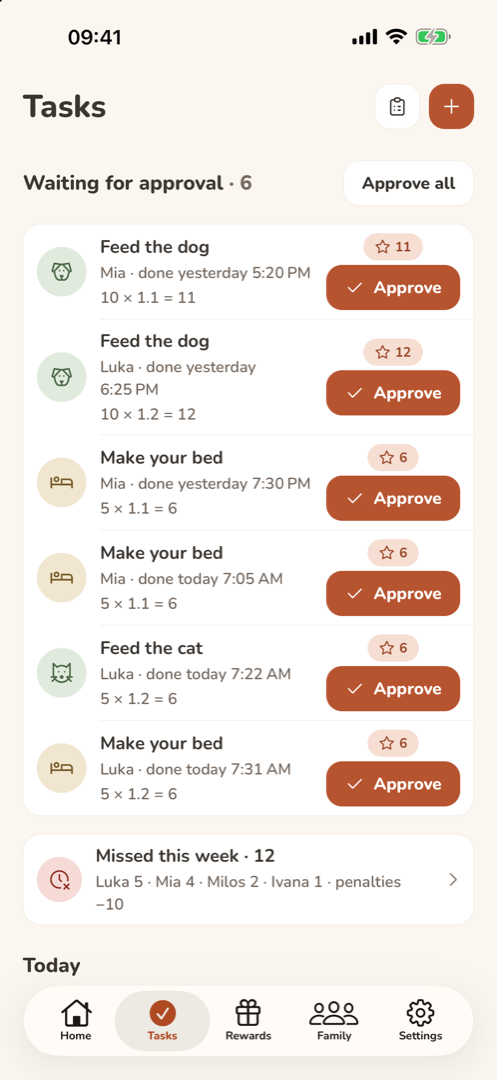
A parent's Tasks tab: six tasks waiting for approval, each with who did it, when, the points formula and an Approve button.

Points, streaks and levels

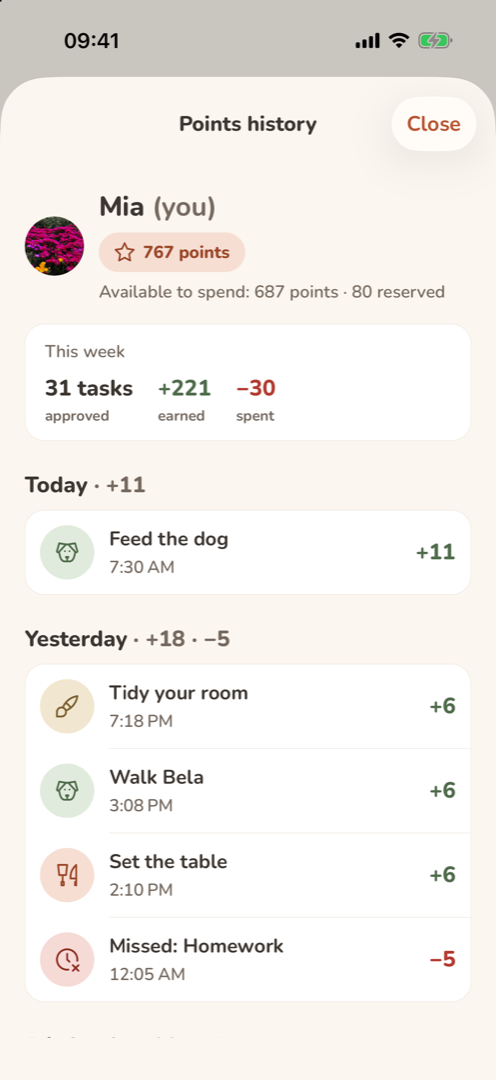
Every change in points is an entry in the points history. A mistake is fixed with a new entry, not by deleting anything, so the history stays honest.

Days in a row with an approved task build a streak, with bonus points at 3, 7 and 30 days, and a streak shield bought with points saves it once. Points also raise your level, from Broom Apprentice to Household Legend and beyond, and levels 2 to 10 each unlock a new avatar.

A parent can take away up to 100 points, always with a reason the member sees. A task can also take its points away when it’s missed, if the parent turned that on.

A child's points history: this week's approved tasks and points earned and spent, then each day's entries, including a missed task that took 5 points.

The points bank

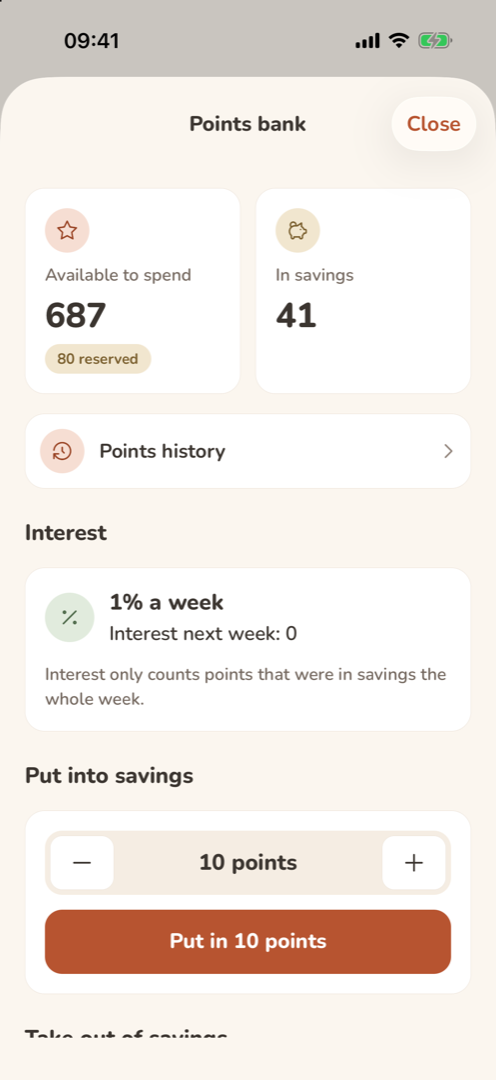
Members can move points into savings, which grow once a week by the interest a parent sets: 1% by default and at most 5%, so saving never pays more than doing the work.

Interest counts only what stayed in savings the whole week, and savings can be taken out once a week, so kids learn to plan ahead.

The points bank: 687 points to spend, 41 in savings, 1% interest a week, and buttons to put points into savings.

Rewards and the family goal

Parents keep a catalog of rewards in five kinds: money, jokers that skip a chore, privileges like picking the film, favors like breakfast in bed, and experiences like the cinema. Anyone can suggest a reward, and a reward can have a weekly limit.

Asking for a reward reserves its points, so they can’t be spent twice, until a parent approves the request or declines it. Pocket money is only recorded: you set a rate, for example 100 points for $2, Taskić keeps count, and you pay it out in person.

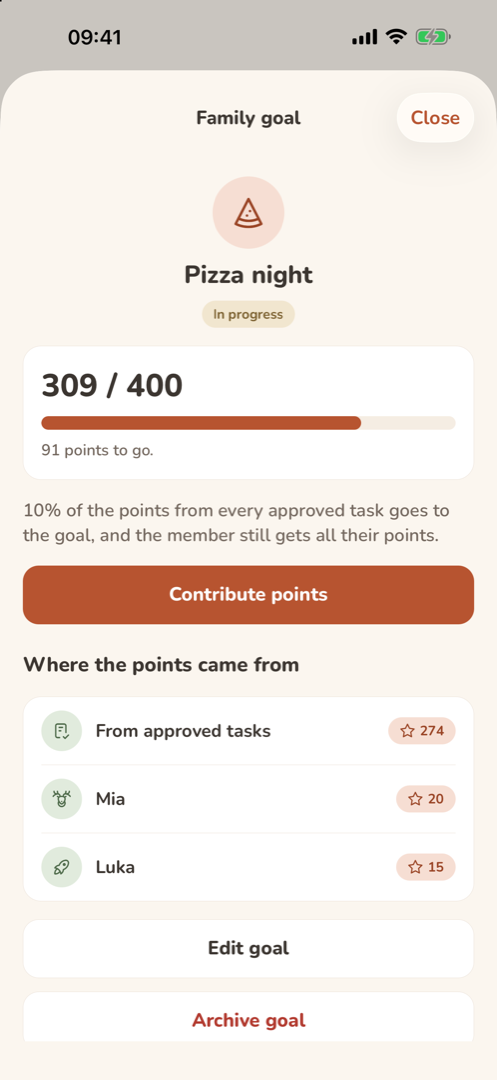
For something bigger, the family saves together toward one shared goal, like pizza night. A share of every approved task goes in on top of what the member earns, and anyone can add their own points.

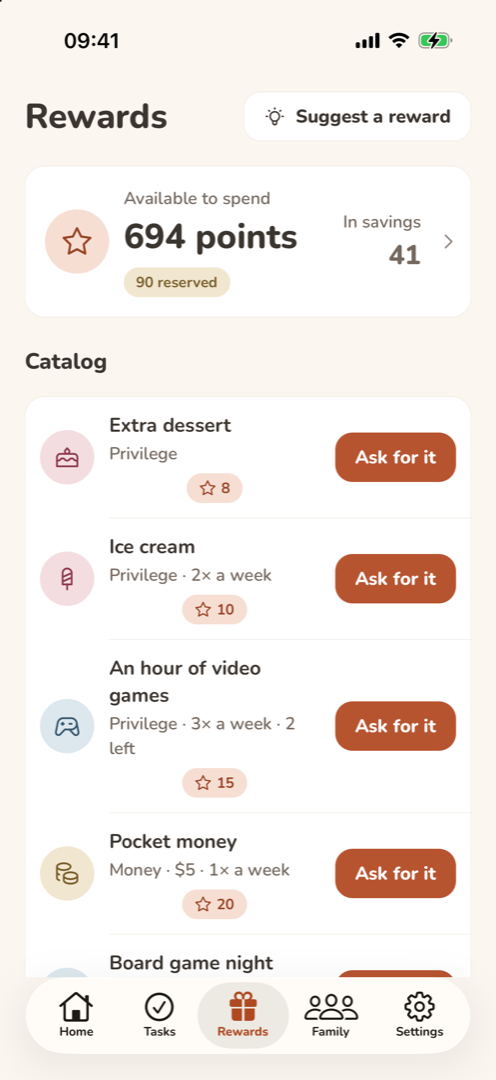
A child's Rewards tab: 687 points to spend, 80 reserved and 41 in savings, and the catalog with an Ask for it button on each reward.
The family goal, pizza night: 309 of 400 points, 10% of every approved task going in, and who contributed how much.

Weekly summary and family recap

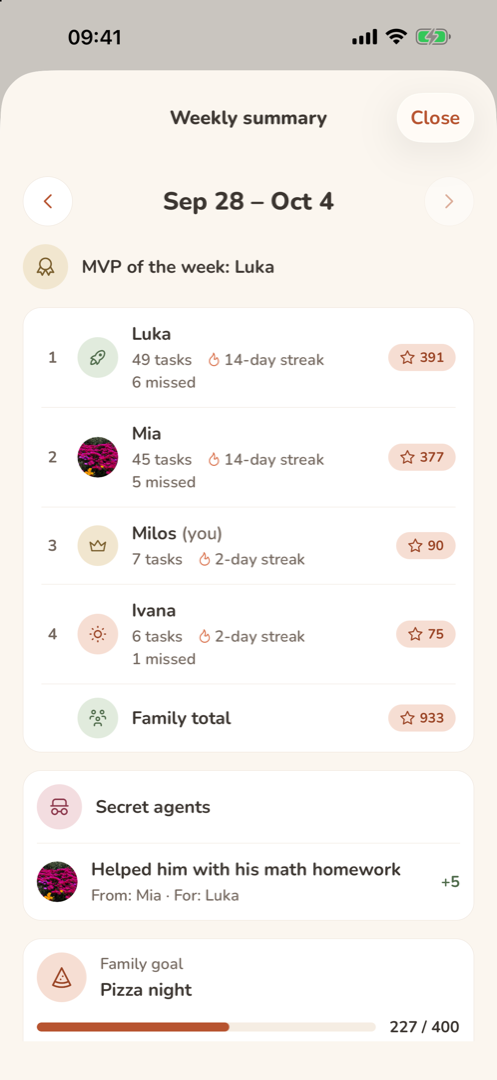
Every Sunday at 7 pm the weekly summary arrives: who earned what, the MVP of the week, streaks, missed tasks, the family goal and how the battle with the boss went. Then the weekly leaderboard starts over, and everyone keeps their points.

On the first of each month, the family recap looks back at the month before: tasks and points, everyone’s most frequent job, the liveliest day of the week and the longest streaks.

The weekly summary for September 28 to October 4: the MVP, the leaderboard with streaks and missed tasks, a revealed secret deed and the family goal.

Games you play together

The games that bring everyone together come first, so that rivalry doesn’t turn into fights. They all live in the Family tab.

  • Weekly boss

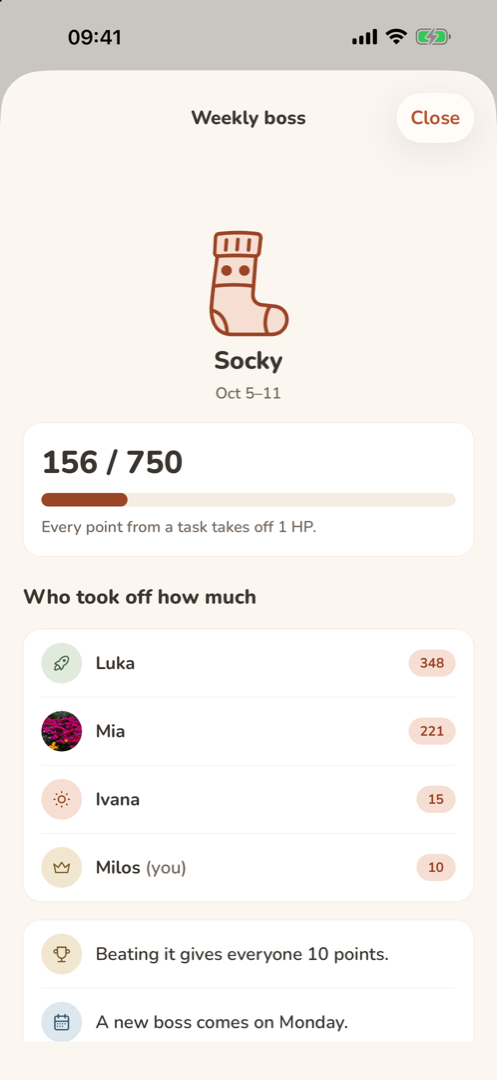
    Twenty household messes, from Dusty and Smudge to Socky and Rumple, one a week. Every approved task takes off as many health points as it earned, and beating the boss gives everyone 10 points.

  • Family goal

    One shared goal at a time, with its progress on everyone’s phone.

  • Duels

    Challenge someone to the same task, with a stake of 1 to 50 points. The first one done and approved wins the stake, and both get the task’s points.

  • Task market

    Offer your task with up to 50 of your points on top. Whoever takes it gets both once it’s approved.

  • Surprise box

    A 7-day streak, and every 7 days after, opens a box with a random reward the parents picked for it. It’s earned only by doing tasks, never bought.

  • Secret agent

    Note down a good deed you did for someone in secret. Only parents see it until the weekly summary reveals it, with 5 points for the agent.

  • Before and after

    Post photos of a big clean-up. The family votes, one vote each and not for yourself, and the winner gets 10 points.

  • Turbo hour

    A parent turns on an hour of double points for everything done in it.

  • Quick clean

    A ten-minute timer for everyone at once, also for double points. The music is up to you.

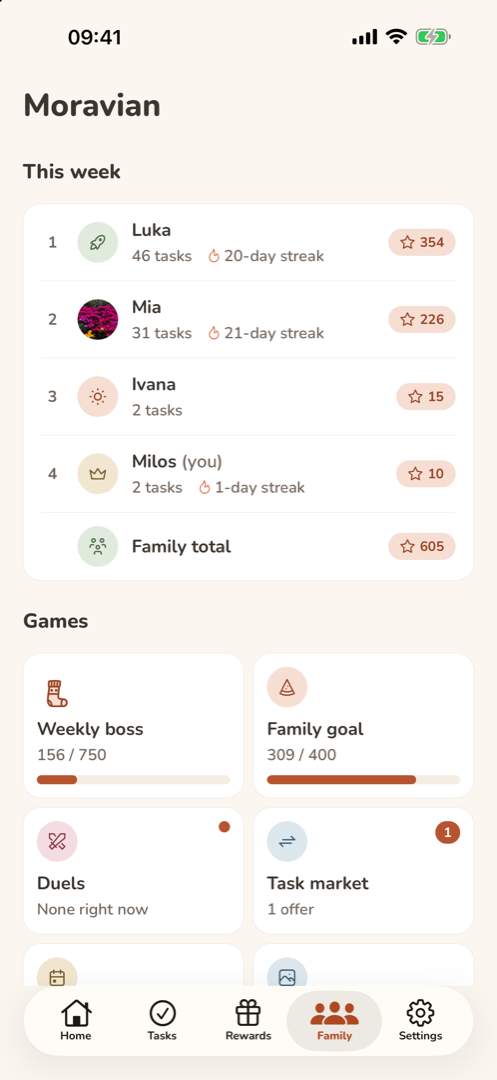
The Family tab: this week’s leaderboard with streaks and the family total, and the games as tiles: the weekly boss, the family goal, duels and the task market.
The weekly boss Socky, a sock, with 156 of 750 health points taken off, and how much each member took off.

Also in Taskić

Stickers

A parent makes a sticker for a task, a QR code to print or an NFC tag, for the place where the job happens, like the dishwasher or the bin. Scanning it marks today’s task as done, or takes a task that’s up for grabs and marks it in one go. A QR sticker is scanned with the phone’s camera, on iPhone and Android alike, and an NFC sticker with Scan an NFC sticker in Taskić, on any phone with NFC. Stickers need an internet connection.
Widget and Live Activity

The Today widget on the iPhone home screen shows how many of today’s tasks are done, up to four of them and today’s points. During a quick clean, the countdown appears on the lock screen and in the Dynamic Island of each iPhone that has Taskić open. Both are iPhone features.

Seasonal events

A parent can start spring cleaning (14 days), back to school (7 days) or the holiday calendar (24 days) for chosen members. Each brings its own tasks with one deadline, and when they’re all approved, everyone taking part gets 20 bonus points.

Six languages

Taskić is in English, Serbian, German, Spanish, Italian and French. It follows the phone’s language until you pick one in Settings; Croatian, Bosnian and Montenegrin phones get Serbian, and any other language gets English. The choice belongs to the phone, not the account, and notifications arrive in the language of each phone.

Light and dark

A warm light theme and a dark one, following the phone or set in Settings. Both keep text contrast at WCAG AA, and each phone keeps its own choice.

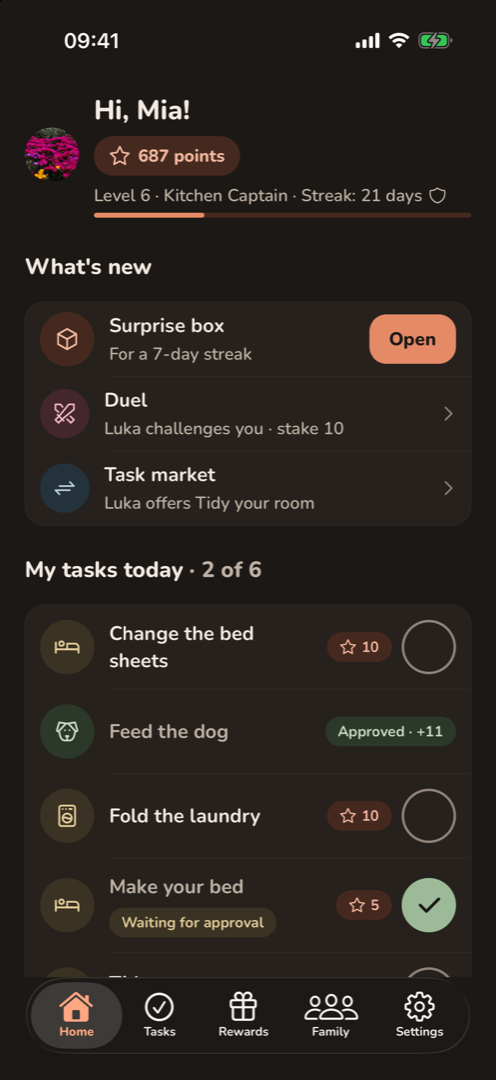
A child's Home screen in dark mode: points, level and streak, a surprise box to open, and today's tasks.

iPhone and Android

Taskić runs on iPhone with iOS 16.4 or newer and on Android phones with Android 8.0 or newer. It’s the same app and the same account on both, so one family can mix iPhones and Android phones, and Taskić Pro covers everyone, whichever store it was bought in. Sign in with Apple is only on iPhone. The widget and the Live Activity are iPhone features, QR stickers work with the camera on both, and NFC stickers on any phone with NFC.